Every developer eventually builds their own site. Mine took longer than it should have — not because it’s simple, but because I didn’t realize how much AI tools would change the equation. There’s real complexity here: a custom React island for the code explorer, content collections, syntax highlighting, a deployment pipeline. What I underestimated was how fast Claude Code and Cursor would let me move through it.
The design
I’m a backend engineer. I can build systems that scale, but staring at a blank Figma canvas has never been my thing. What surprised me most about this whole process was how well Claude handled the design when I just described what I wanted.
I wrote out my requirements — the dark/light section rhythm, the monospace aesthetic, code as a first-class visual element, the overall feel I was going for — and it produced an HTML mockup that was exactly what I had in my head. First try. As someone who would have spent days fumbling through CSS trying to get something half as clean, that was a genuine unlock. I didn’t know I could just… describe a design and have it work.
The mockup came back as a single HTML file with inline styles — dark background (#0d0d0d), JetBrains Mono for anything code-adjacent, DM Sans for body text, and a blue accent (#4a9eff) that runs through the whole site. The section rhythm alternates dark and light all the way down the page. I didn’t have to iterate on it. That file became the spec everything else was built from.
The CLAUDE.md approach
I use CLAUDE.md files at work all the time, but I’d never set one up for a personal project. It’s a file Claude Code reads at startup to understand the codebase — here I tried using it as a design spec. Color values, font choices, component hierarchy, code snippets for the interactive sections, all in one place.
The idea was to write the spec once and have Claude Code build from it, rather than re-explaining context in every prompt. In practice it worked better than I expected. I’d write something like “build the Work section with these two companies, these tags, this card layout” and it would come back with something that matched the mockup closely on the first pass. The structural work — layouts, components, content collections, routing — happened fast.
For the most part it nailed the structural output on the first pass. Cursor was there for any visual fine-tuning — having the browser open and editing values directly is just faster for that kind of work. I’m still figuring out the right balance between the two. When to stay in Claude Code, when to switch to Cursor, when to just type the change myself. I don’t think there’s a fixed answer — it’s more of a feel you develop as you go.
The implementation
The site is built on Astro v6 with Tailwind v4 and a React island for the interactive code explorer in the projects section. Most of the site is static — plain .astro components that ship as HTML with no client-side JavaScript. The code explorer is the one place where interactivity was actually needed (clicking a file in the tree switches the panel), so it’s a React component with client:load.
Tailwind v4 is meaningfully different from v3. There’s no tailwind.config.js — configuration lives in your CSS file via @theme. It took a minute to adjust, but it’s actually cleaner once you understand it.
Astro v6 had a few gotchas worth knowing about. Content collections moved from src/content/config.ts to src/content.config.ts at the project root, and now require an explicit loader — the glob loader handles MDX files. The render() function moved from a method on the entry object (post.render()) to a standalone import from astro:content. The error messages don’t always tell you what changed, so I ended up reading the migration docs.
The writing section uses MDX with Zod schema validation on the frontmatter. Every post has a title, date, description, and draft field. Draft posts exist in the repo but get filtered out of the listing — easy to flip when I’m ready to publish.
The workflow in practice
The actual prompts were more specific than I expected to write. Not “build a nav” but “build a nav with the logo on the left in JetBrains Mono, dina in #888 and .ganai in #e8e8e8, links on the right in #555, border-bottom 0.5px #2a2a2a, padding 18px 40px.” The more specific, the less back-and-forth.
Claude Code handled file creation, wiring components together, fixing build errors, and anything that required understanding the whole project structure. Cursor handled the browser-facing iteration — nudging spacing, adjusting font sizes, getting the line heights to feel right. I’d switch between them without much ceremony.
What I didn’t expect was how natural the split felt. It wasn’t a deliberate strategy — it just emerged from what each tool is actually good at.
The blinking cursor
The most deliberate detail on the site is the blinking cursor at the end of the last line of code in both the hero section and the project showcase. It’s a 7×13px #4a9eff block with a step-end animation — not a smooth fade, but a hard blink, the way a real terminal cursor behaves.
The ease and linear timing functions make it look like a loading indicator. step-end makes it look like a machine waiting. That distinction matters to me. The site is supposed to feel like something that runs, not something that performs.
The PR bot
One thing I didn’t expect to build: a GitHub Actions workflow that reviews every pull request with an LLM. It came out of this project directly — I started opening PRs for changes to the site and noticed I was doing a manual sanity check every time before merging. So I automated it.
The workflow diffs the branch against main, sends it to GitHub Models with a prompt that says “flag real issues only, skip style nits,” and posts the result as a PR comment. GitHub Models uses the GITHUB_TOKEN that’s already available in every Actions run — no separate API key, no additional secrets, nothing to set up. The whole thing is about 50 lines of Python stdlib. It runs on this repo.
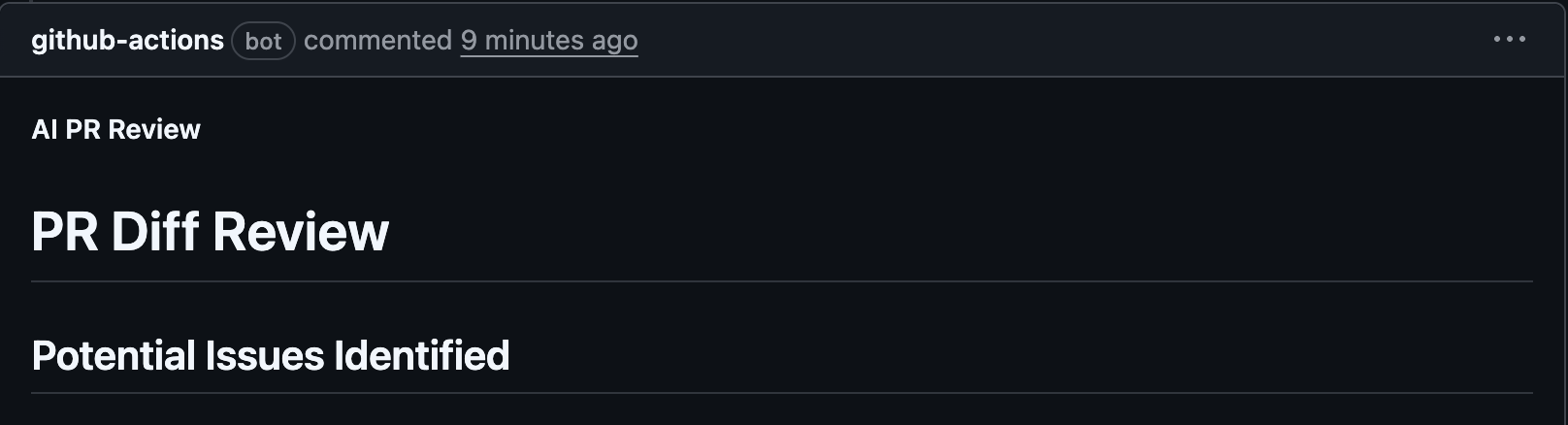
The interesting part wasn’t the API call — that’s trivial. It was the prompt. “Review this diff” produces noise. Being specific about what to ignore (cosmetic nits, preference-based suggestions) and what to flag (bugs, broken logic, accessibility issues) produces something actually useful. The same lesson from writing Claude Code prompts for the site itself applied here too.
Deployment
DNS is through Spaceship, hosting through Vercel. The setup took about five minutes: push to GitHub, connect the repo in Vercel, point the A and CNAME records at Vercel’s nameservers in Spaceship. Vercel handles SSL automatically. There’s nothing interesting to say about this part, which is the point.
The site will keep changing. The writing section will fill up. The projects section will get real entries as I build things. But the structure is solid, and I understand every part of it — which is more than I could say if I’d just stitched something together without thinking it through.